 SayEasy
For iPhone and iPad
Read English aloud. With confidence.
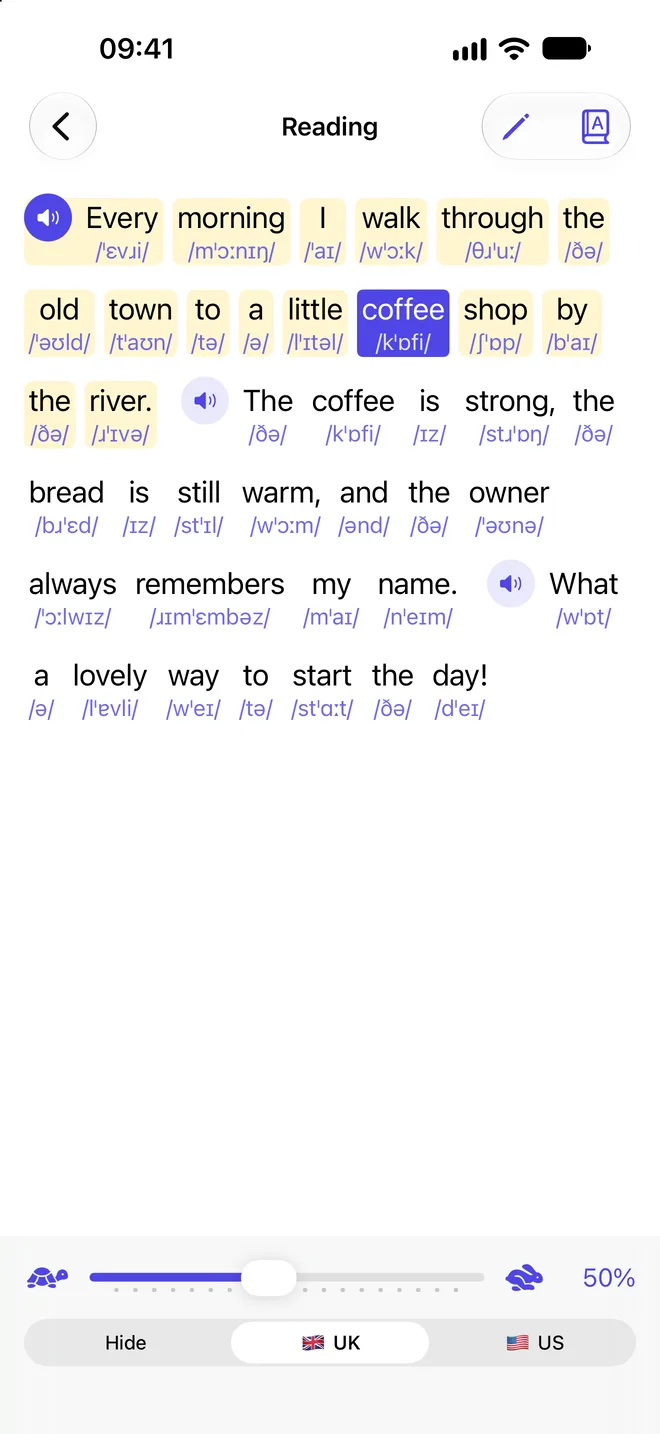
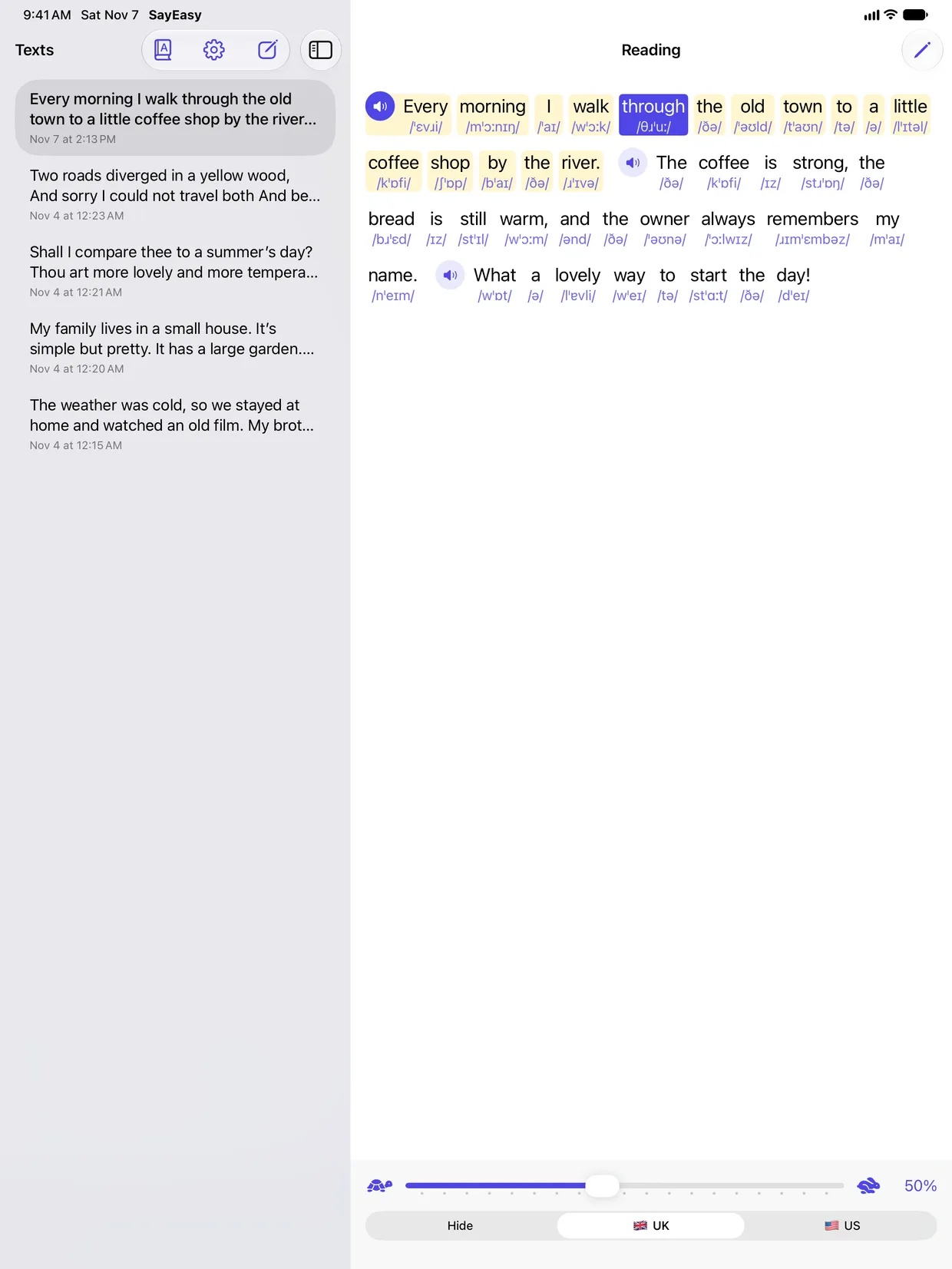
Paste an English text and SayEasy reads it to you, highlighting each word as it’s spoken. Under every word you see how it’s pronounced, in IPA, in British or American English.
Hear how it works
Tap a word to hear it on its own, or the speaker to hear the whole sentence. Switch the accent and watch the transcription change.
Hear just the words you pick
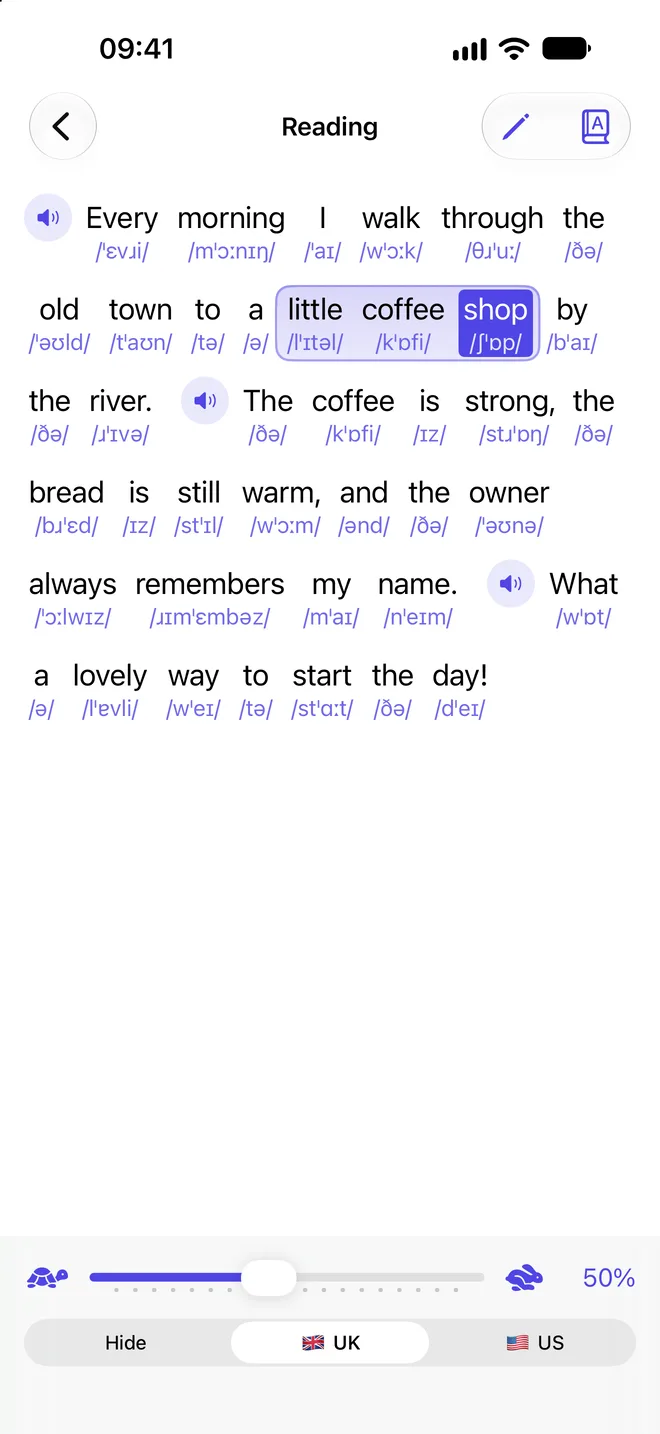
Sweep a finger across a few words, like a highlighter — or hold a word and drag — and SayEasy reads only those. Perfect for practising tricky phrases.
- Tap a word to hear it on its own
- The speaker next to a sentence plays all of it
- A gentle tap of haptics for every word you pick
British or American English
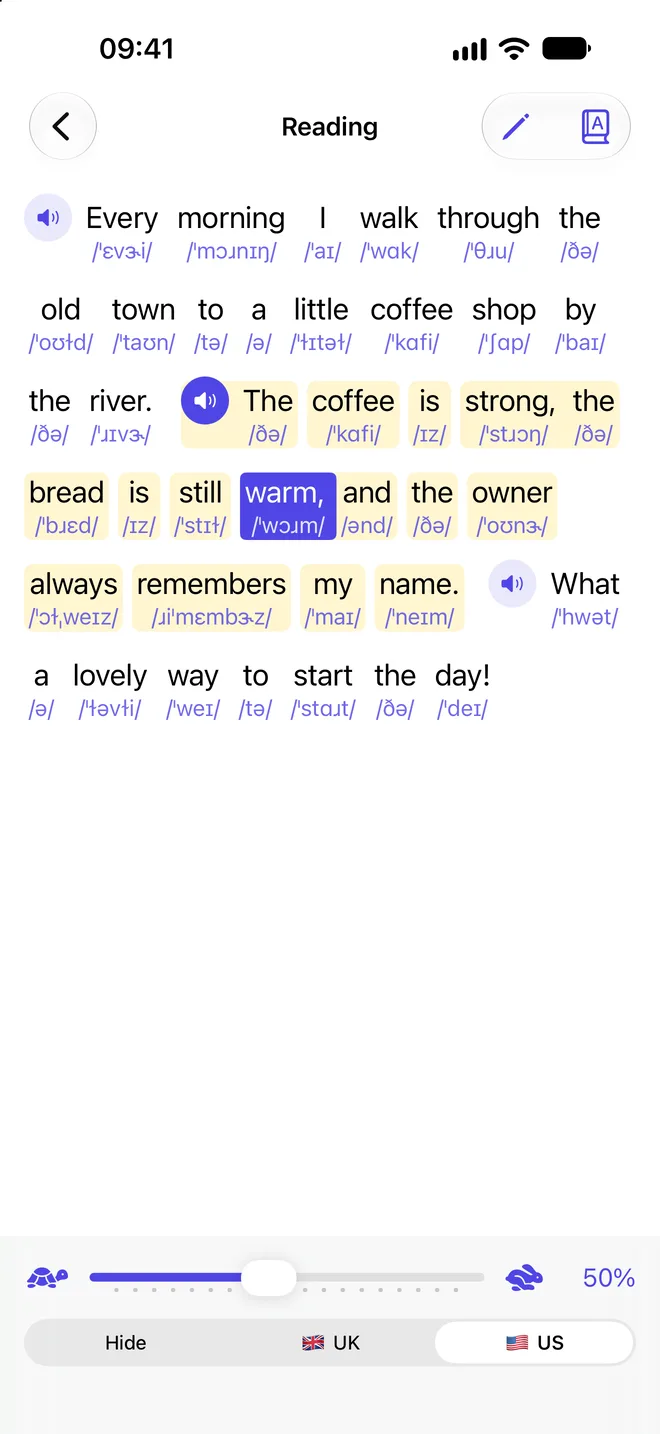
One tap switches both the IPA and the voice between British and American pronunciation. Or hide the transcriptions and see if you can read the text on your own.
- UK transcriptions from Britfone, US from ipa-dict
- The voice speaks in the accent you choose
- Reading speed from slow to fast
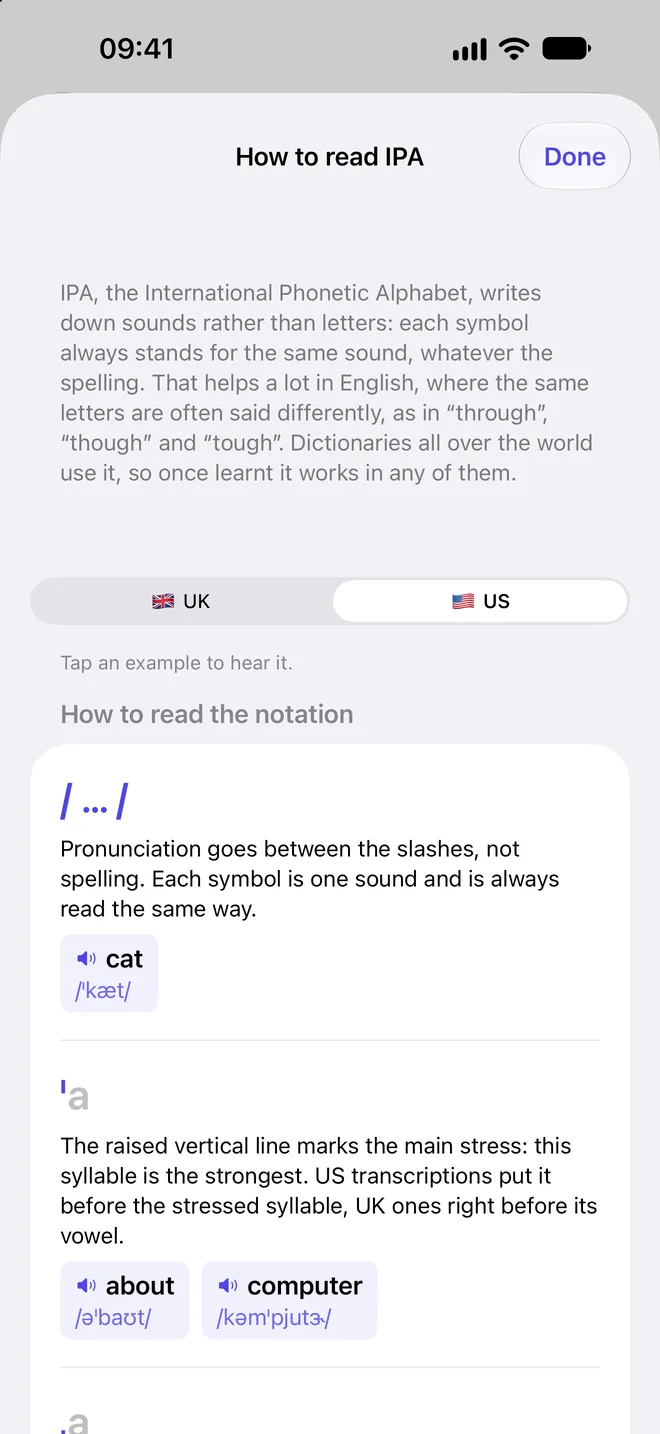
Learn to read IPA
New to phonetic symbols? The built-in guide explains every one of them — stress, long vowels, diphthongs — with examples you can listen to.
- Every symbol with example words
- For British and American pronunciation
- One tap away from the reading screen
Paste, type or scan
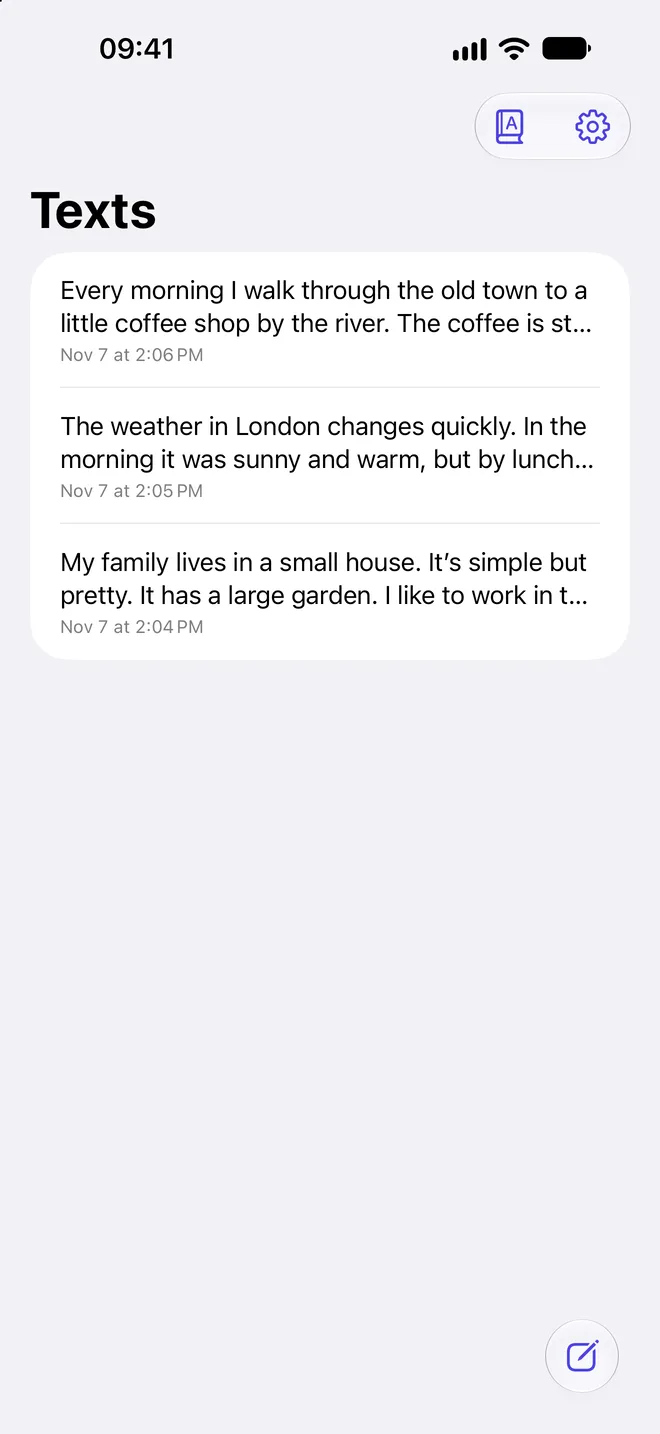
An article, a textbook chapter, song lyrics, tomorrow’s presentation. Paste it, type it, or scan it with the camera straight from a page. Your texts stay in a history to come back to.
- Scan text with the camera or from photos
- A history of your texts
- Text recognition runs on the device
The details matter
Small things that let you hear English the way it’s really spoken.
Word-by-word highlight
The word you’re hearing lights up on screen, so it’s easy to follow along and link the sound to the spelling.
Slower or faster
A speed slider lets you slow the voice down while you learn a text, and speed it up once you know it.
Weak forms
Short words such as “a”, “the” and “to” sound the way they do in a sentence: /ə/, not /eɪ/. Even when you tap them on their own.
Works offline
Pronunciation dictionaries, voices and text recognition all run on the device. Practise on the train, on a plane, anywhere.
iPhone and iPad
On iPad your texts and the reader sit side by side. Comfortable at a desk, next to your textbook.
English and Polish
The app’s interface is available in English and Polish, following your device’s language.
Your texts stay with you
SayEasy doesn’t collect any data. No accounts, no analytics, no advertising. Your texts, history and settings live only on your device.
- No account, no sign-in
- Nothing is sent over the network
- No ads, no tracking
More room on iPad
Your texts on the left, the reader on the right. Everything from iPhone, on a big screen.
Start speaking with confidence
Get SayEasy for iPhone or iPad and read your first text aloud.
Download on theApp Store